Showing posts with label teaching spaces. Show all posts

Tuesday, February 23, 2010

Game Art Module in Second Life

Newish Term, Newish module to use Second Life, where we are introducing 1st years to explore Virtual Environments.

Zoning up the Collective Island

So far, using Megaprims to divvy up the college's island, using scaled floorplans of their project to determine the size of their building zone. The students have been introduced to the basics of second life, from texturing and modelling with SL prims and Maya for Scuplties to customising and creating animations for their avatar, concurrently as they've been developing concept art / and schematics for a prototype of a game level / virtual world space.

The students choose from several environment option, which was to give a breadth of different ways an online 3D world could be used.

1) - a Cthulu-esque Sunken Temple - "At the Mountains of Madness" - designing concepts for a Tomb Raider type puzzle quest area for a single player

2) a floating Steampunk Island village - for a MMORPG

3) a 3D virtual walkthrough of a future Internation Space Station in the year 2050

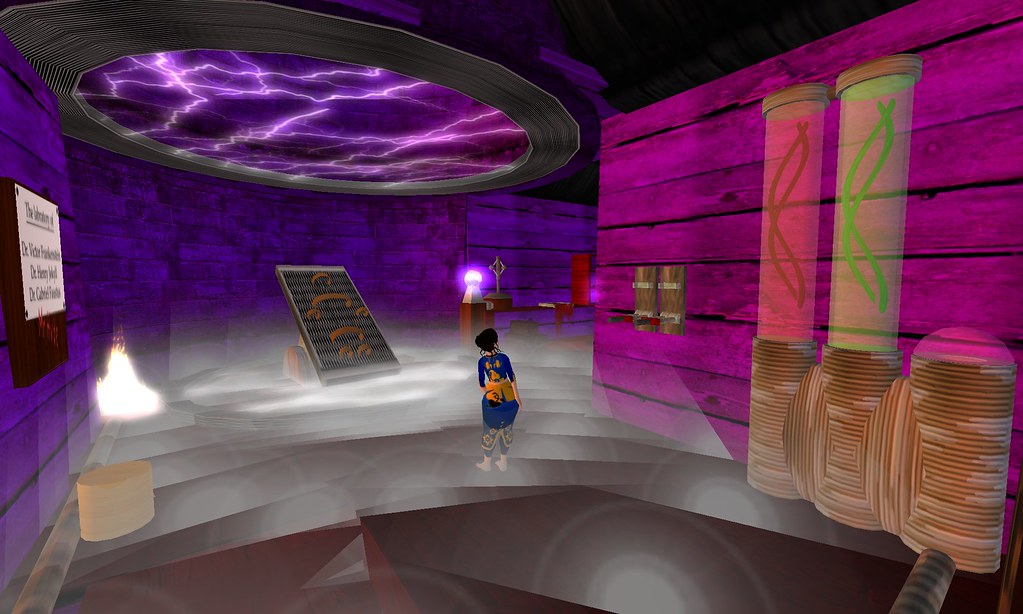
4) an educational collabrotive game to teach Electricity (keystage 2/3 ) with the theme of Frankenstien's Castle.

The reasons for choosing these's types of environments, was to take benefit of working vertically on the Second Life island. So Cave Temple on Ground, Floating Islands 200ms up - Space Stations 500ms up - so there was less overlapping of building projects.

Anyway , early days, hopefully over the next few weeks start seeing stuff appear.

Wednesday, June 03, 2009

Exploring Blue Mars

Blue Mars by Avatar - is another MMORPG/VW environment on the block. Eventually giving developers a big set of tools to create a wide range of online experiences. Blue Mars creates a unified login system, allowing your avatar to move between diverse Virtual Spaces using the same tech.


Montage of the Blue Mars demo spaces, showing how the technology can be used for a community spaces and games. It uses CryEngine 2 for the graphics, giving some impressive shaders for high quality graphics in a VW. Lots of potential for developers to create rich environments and online game content.

For Educators, this is no SL replacement in terms of casual idea development and experimenting.. it is a Dev Heavy technology, but has bags of potential for some Serious Games, or creating visually rich virtual campuses.

Also its now a good opportunity to consider bringing in students/staff on Games Design / Digital Media courses to help develop content for other departements.

Its hard to judge how useful Blue Mars will be based on these Demo's, as ultimately you can create whatever space you want, so its now down to some exciting developers and community building stuff going on, if it is to succeed.

Of the short time I've played with it , and looked at the other BM preview tools, my vibe is that it is more comparable with Multiverse - http://www.multiverse.net/index.html , than Second Life.

Also if you want to get a good feel for Blue Mars - you could also get a copy of Crysis for your PC ( which you can find in the bargin bin now ) - as it comes with the Sandbox Editor modding tools, that allows for machinima making too. - here's an example - http://www.youtube.com/watch?v=8R_i-0lZoj4

Thursday, April 16, 2009

How Big is the Mono Lisa?


Mona Lisa, 1503-1506, Leonardo da Vinci

unless you've been to The Louvre, most of us have experienced this painting through books, the web and student posters... but actually how big is it?

Basically I'm having some thoughts on how to entice the Critical and Contextual Studies dept onto our Second Life island...

A quick straw poll of students around the college when asked how big was the Mona Lisa, only a few could give an accurate size. Though all are familar with the history of the painting, the feeling for its real size is, I suspect, skewed by props on TV & Film, seeing the picture on the web, and proportionate to its famousness.

The Mona Lisa is 77cms x 53cm ( 30inch x 20 7/8inch )

One thing I've always liked about Second Life galleries is you can get a sense of scale of a painting or image
(as the artist may or maynot of intended), something that's lacking when you see the same image embedded in a webpage or powerpoint presentation.

Having the avatar to scale the art against at least starts lending itself to an understanding of the intentions of the artist..

Here's Pablo Picasso's
Guernica, again you can get some engagment with the scale of the piece, which would be lacking from a book or web-based picture.

With a bit of skill, a tutor, rather than using a powerpoint presentation, could present a virtual tour of a gallery space
( be it as a group, or simply a tutor's view presented on a video projector ) could create even more opportunities to discuss the art works.

I'm using fine art works as an example - but the same principle could also be applied to graphic design and advertising - looking at the use of scale with posters & billboards, by placing them in galleries as well as simulated spaces (eg. shopping mall ) -
( hmm, maybe a corporate example, but hopefully you get the point ) - allows for a critical discussion of how the image works in the space and its intended audience. Particularly useful for spaces, that students might not get ready access to.

Secondary, having a 3D online gallery to place work in, is also a great tool to explore some of the curatorial skills of a putting an exhibition together. Not only does a student have to sort out the collection of images, but can think about how they are placed within the space, and against each other. This can translate to a real life show - allowing several options to be considered before hanging the work.

One thing to take into account is Second Life's propensity for taller than average height avatars,
and the default camera position - does make things feel smaller than reality, so playing with the camera ( viewing in mouselook ) and using other props that allow for a sense of real world scale will compensate for this.

Personally, I still think its important to go on the physical field trips to a gallery when one can, but its great to see projects like this arriving in Second Life - a replica of The Old Masters Pictures Gallery, Dresden - that's only a TP away..


SLURL - http://slurl.com/secondlife/Dresden Gallery/128/128/27

Thursday, March 12, 2009

UCreative - Second Life Island

UCA Campus (under construction)

Back in Summer of 2008, I was asked to build a Second Life presence for University of Creative Arts - (a specialist art uni, which is an amalgamation of five UK based colleges in Kent and Surrey ). As the campus was split across several towns, SL was being explored as a potential way of creating a virtual community of practice, where graduate and post-graduate students could get together.

UCreative SL Island

I was commissioned to create a basic low prim scaffolding for an interdisciplinary island of arts, and also create something that gave a imaginative flavor of what could be achieved in virtual worlds, rather than slavishly re-creating the realworld campus.
The build was designed to get people navigating and around a 3D space fast especially by flying, but a teleport system was also in place to get around quicker, or those still learning to control their avatar.

UCreative SL Island

The approach I went for, was to create a Giant Tree, where the foundations of its base, formed the main lecture theater spaces, as well as public areas of exhibition and marketing - a scuplture/art garden, a more traditional white cube gallery space, and a sandbox area, on the ground.

UCreative SL Island

Very simplified tree branches formed platforms, that would be given over to specific areas, eg. moving image, fashion, communication design, and also staff development. Finally high up above the clouds was a private sandbox area.
This use of height within a sim, was to make efficient use of the island, rather than everything flat on the ground.
Hopefully this system also keeps information/areas apart, but not completely compartmentalised. As it was a shared island, discpline areas could share space and resources - creating opportunities for students to work across courses.

Sunday, February 22, 2009

WoW educators on Twitter

DethBeth hanging with the Lich King

Educator?
on Twitter?
play World of Warcraft?

then join us on http://twittgroups.com/group/eduwow

or if flickr is your social media tool of choice
then share your pics at

Educators in World of Warcraft flickr Pool

Sunday, December 14, 2008

First impressions of PS3's HOME

Center of Plaza

Eventually I managed to log into HOME (open beta) - playstation 3's new virtual world - at 5am GMT on the 12th Dec... until then it seemed the PS Network was taking a hammering.

My initial response was to compare it more to Twinity, than a true Second Life alternative... ie. private apartments and group spaces, linked to a central hub world, no 3D or scripted user generated content (yet) , and a lack of sophisticated camera controls that will make it a pain to create interesting machinima with its beautifully rendered world - ( but hey, that's part of the challange of machinima )).
Its a very sanitised experience, perpetually a bright midday summer's day ( which actually gives me a migrine ), avatars that can only be human and in peak condition (ok I'll grant you can be slightly chubby and have worry lines ) and a controlled branded experience of Sony and partner products ( which was to be expected. )

My curiosity of this new Virtual World has been peaked for several months (watching the lucky ones running around in a closed Beta), and I was always interested to see if it offered any educational benefits or opportunities. Particularly it was the Group tool and Clubhouse space that caught my eye. As this offers the opportunity of creating a small community within HOME.
Initially you are given a private apartment ( a lovely oceanside flat ), but this is a space only you can manage, not give shared control.

A Club is an option you can purchase for £3.59.. this gives you administration of a group title ( choose wisely - as you can't change it later ) - to which you can invite or people can request to join. Along with the group, you are given a default Clubhouse, where your friends can meet, even if you are not online.
When you purchase, Sony imply that in the future, there could be monthly costs to running a group.. but during this open beta ( till end of march '09 ) its a one off payment.

At present, the default clubhouse is a dojo style interior, but from the greyed out option in the clubadmin tools, it looks like in the future you will be able to purchase new spaces.
It also seems you can only create One Club per avatar which you have ownership of, so again think before you create. I have yet to see if there is a limit to the number of other clubs you can join, in Second Life it is annoying that you can only join 25 groups, so I wonder if the same is true here, but at the moment, it's free to join someone else's club.
As admin you can allow other members to help administrate the group and content of clubhouse. ( similar to flatmates in a Twinity apartment )

Furniture Limits in Home Spaces

Within the clubhouse, you can add furniture, to a limit of 40 items... this could easily be used up, particularly as I'm interested in using the Clubhouse as an Art Gallery, and I can foresee that I will need picture frames for each photo or image I upload into the space.
At present you can't purchase any media or image frames ( I'm assuming as this is the start of an open beta, Sony are probably wanting to present a positive image, so avoiding the user's opportunity to post copyrighted material up in spaces, or the inevitable clubhouse or private space full of Porn Pictures, or simply they are trying to avoid the server's been jammed up with content. ), but I have seen images from the closed beta that show their existence - linky to a photo from edpredator - http://www.flickr.com/photos/epredator/2117246451/in/pool-924121@N20

Within the Clubhouse, you have a bulletin board tool by default...
Bulletin Boards in Clubhouse

Sadly the bulletin board is a tad disappointing. Posts are limited to a subject line of 32 characters, and a message of around Twitter length. Only admins can post messages to the board, so at best its more like having sticky notes on a fridge, or a simple way of announcing group meetup dates.
The Posts are also censored - you can only used approved words - ie. no swearing, and it also denies you posting up Telephone numbers.
I tried putting in web links, which appear, but are not clickable. So you can't use the bulletin board as a portal to web content.

----

I'll reserve a final judgement, as the Open beta rolls out new 'Appliances', 'Picture frames' and new content hopefully over the next few months.

Things I would love to see appear in the future are :

Use PS3 webcam to send a videostream into the Clubhouse, be a simple way of presenting a conference or similar.
Stream Audio, or at least play audio content that's uploaded. ( I'm assuming a PS3 Internet Radio Station is on the cards, if not - they're missing a trick ) - a pragmatic solution is to use the pre-existing voice chat for now.
Objects or Tools, to link up outside webpages.

--

Anywho - if you're an educator exploring HOME - my avatar's name is Annabeth

Tuesday, July 01, 2008

End of Year sandbox

As part of end of year let hair down, a few of the more SL engaged students continued to develop some extra curricula personal work in the Collective Sandbox. Here's some pics....


Rob's fantasy build...


Phil's mad scientist lab...


Steve's maze temple...

Thursday, November 15, 2007

Upping the Ante

Its been a while since I've blogged about the Digital Media courses activities within Second Life.


2nd year project, starting of with an SL based sketchbook.

Now a new academic year, and the course moving to new facilities on the Blenhiem Walk Campus, we've decided to jump in deeper with Second Life as part of the course.

Previously, we had rolled out SL as a more tentative venture, using it via Personal Development and Critical Studies - so we could explore Digital Cultures and Emerging Technology. We were very fortunate to also have a project with Penguin, that allow both staff and students to see the Vocational worth of Second Life.

Now the course is into its 2nd Year, we have Specialist Pathway modules in both Moving Image and Interactive Presentation.

For both of these modules, we decided to have a Second Life based brief, they could choose to undertake. The modules started on the 9th Nov.

Interactive Presentation

The Team brief is to create an Art Gallery within Second Life, which can be used by the other students and potential Artist in Residence projects.
The students have to consider curation within a virtual 3D space, the different forms of media that can be shown, how avatars can navigate, explore and engage the work that will be shown, as well as creating signage for the space. Upon this they will create an intergrated CSS template for a Ning based community and Blog.

It is hoped out of this brief, that students can explore and reflect on the differences of Flash or Web based Gallery and information presentation, with this 3D variant. As well as engaging with Social connectivity aspects of both Second Life and web communities like Ning.

Moving Image

The brief is to create a 2 minute Machinima presentation, to promote the Design for Digital Media course's presence and activity on the Collective's Second Life Island.

Hopefully, through this brief both the creative use of machinima can be explored, but tempered with a corporate sensibility. My gut feeling with more corporate presence within Second Life or similar (PS3 Home or There), there will be a new skill set needed for this convergence industry, and I hope this brief starts to address the portfolio needs of graduating students into this industry.
Also the cross-transferable skills back to video production, still means regardless of it being either traditional video or machinima - the students still has to go through the experience of production management, communicating with cast and crew & editing of footage.

---

With the 1st Years, we've had the opportunity of creating a new 10 credit module called 'Digital Cultures and Technologies', a half practical and theoretical module.

This has given us an opportunity to have a more course wide engagement within Second Life. The project set is called 2020, where we ask the students to design a poster to communicate what they speculate could be future digital ( or other ) experiences, commodities or technologies.

These poster will then also uploaded into Second Life, as part of a display - in the new art gallery the 2nd year's are building.

As part of the module, we've had a seminar on Avatars, which allowed practical play via Second Life.

---

All of these projects will run up till Christmas, which we'll hopefully make open to the public. ( though actually the islands always open to the public, so you can pop by and see work in progress - so excuse the clutter - we're a sandbox, not a polished marketing tool.)


Some of the activity that's been blogged by the students...

http://parkinsonliam.blogspot.com/2007/11/second-life-galleries.html

http://fionnualamurphy.blogspot.com/2007/11/new-shiny-work-area.html

As a team, Liam and Fio, have initially created a 3D sketchbook to house both there research and idea development, and a place to try out building prototypes.

( which actually reminds me, I get a few IM's saying that there's seems to be little happening on our island... actually a lot happens its just tends to be up at 500 ms )

here's some posts from the 1st years, after playing with avatar creation for an afternoon.

http://markscrit.blogspot.com/2007/10/second-life.html

http://myworldmylifemytime.blogspot.com/2007/10/second-life.html
http://rockbigdave.blogspot.com/2007/09/second-life-at-uni-we-work-d.html
http://digitalbreak.blogspot.com/2007/10/second-life.html

It's also sparked some critical response,

http://critwall.blogspot.com/2007/09/scary-life.html

Tuesday, July 24, 2007

Using Second Life to support Moving Image specialism on Design for Digital Media.

Moving Image specialism.
Moving image covers all time / screen based work, from live action Video production to 3D / traditional Animation. Projects could include title-sequence design, music videos, short drama and documentary productions.

The production of moving image work using Second Life, other MMO's or Video Game Engines is called Machinima. The practice of Machinima can help re-inforce the practice and theories of professional moving image production, could be used as a form of advanced animatics within a larger moving image production; as well as being a moving image medium in its own right.


A Whale of a Tale, - Angrybeth Shortbread 2006

Transferable skills that can be gained from creating Machinima

Storytelling and Structure
Without a story / narrative / structure / concept , as a starting point, then the machinima will have no co-herent sense or meaning. In the act of creating a machinima, the student's have to work out what they are trying to communicate to the audience, and develop appropriate scripts or storyboards. Dramatic structure and character development can be deeply explored with this technique. As Machinima has very little costs ( well once you have the kit that is ... ) a student can try alternative shot setups and sequences, and explore how they impact on storytelling and meaning.

Shot Compostion / Camera Movement
The camera controls within the Second Life client, are sophisticated enough to allow a student to explore shot framing techniques both moving image and also virtual photography. Lens effects ( field of vision) can be explored to a degree. Scripted objects allow tracking and craning sequences to be explored ( without the considerable cost and health and safety issues that happens in real life ). Focus, exposure techniques and smooth zooming effects are several areas that can't be explored with Second Life machinima at present in realtime.
With the recent addition of dynamic lighting, some exploration of lighting techniques can be applied, especially low-key / chiaroscuro
lighting effects. Though shadows at present can't be cast by objects or avatars.

I've slowly been building learning material for shot framing using machinima here. --- link

Post Production
Second Life has no inbuilt tools for editing shots and sequences created in Second Life. Footage will either be recorded directly to the hard-drive of the computer or onto video tape ( if using video-output from the computer to a video deck ).
Editing the footage would need to be done in programs like eg. Final Cut Pro, Adobe Premiere, or Avid. This allows a student to engage with industry software whilst editing the machinima footage into a fine cut for presentation. Working with machinima footage captured via software, also allows students to explore quicktime compression.

Sound Design

The above example machinima 'whale of a tale' is entirely post-produced sound design, with sound effects synced in the post-production software. This technique, allows students to explore foley sound effects, added dialog replacement, and music compostion. Sound can be generated within Second Life, 10 second samples can be triggered, looped or synced with animation gestures. Streaming audio eg. Mp3 , can also be played into the land plot.
For students focusing more on traditional animation techniques, sound - especially dialog would be pre-recorded before animation would be generated. The mac client quicktime output is mute, so to record sync audio at the same time, the video deck option is the best solution. Alternatively using a piece of software like Soundflower can capture sound running through the sound card.

Art Direction / Production Design
Set design, costume design, props, location can be explored with Second Life. The content creation tools within Second Life can build all the assets required for machinima production, re-inforcing the students understanding of 3D modelling techniques ( that in themselves are cross-transferable to Games Design ). Combined with Shot compostion, genre styles can be explored. On a more management level, exploring Second life user created content for adequate assets, like clothes, props, and even locations, allows the students to explore the professionalism and responsiblites of roles like location manager, as well as co-ordinating a budget.

Directing
One distinction between machinima and 3D animation, are the characters ( avatars ) are controlled by other people online. This requires the machinima maker or team, to think of stratagies to co-ordinate a group of people in front of the camera synchronously. Also having to co-ordinate others, means the team have to break down the production into a schedule giving pragmatic experience of time-project management.

Wednesday, May 16, 2007

Virtual Art School

If we are thinking about and simulating an ideal real life art school, then should we not also be creating the ultimate SL art school? Do we need a school for educating future virtual designers and artists? There are a lot of arguments floating around about this, but I don't think it wouldn't do any harm to have a go at building one. Perhaps the blank canvas approach that our friend at Leeds College of Art & Design, AnnaBeth Robinson (AngryBeth Shortbread), is taking with her students on the Digital Media course is the most appropriate way to tackle this. Art schools have traditionally provided studio space for the creation of artefacts, with staff available to mentor, facilitate and hopefully inspire students. Perhaps the ultimate art-school in Second Life is not a building at all, but an empty island owned by the student group.

comment by Ian Truelove on the Emerge - JISC website

Much consideration was placed into the idea of giving ownership of the island to the student group, when setting up our SIM. The blank canvas approach was an attempt NOT to constrain what ideas and work could be created within an online 3D environment. My personal take on this, is if you replicate too much of the 'Real' or at the other extreme create an Abstract space, the students may consider this is the only way to construct stuff on the island, or try to fit within that framework. Of course stronger students will question, explore and push this paradigm.

Interestingly for the first few weeks, as students created their initial presence on the island, they naturally replicated the real. Aspirational houses / studios decked out with furniture, setting their own boundaries and personal plot of land by creating a 'Home'. Into this space, many began to exhibit their personal and portfolio work.

I found this, not to dissimilar an experience to when I was a student at Art College. As a group we were given a very large studio space, lots of 8x5' panels, and told to construct our own spaces. What resulted was a mix of private booths, the construction of a small village of cubicles, and a section of studio fenced off, for large construction and video work (hmmm like a Real life sandbox ).

As a building exercise, I preferred to sit back and let them explore the building tools through creating recognisable structures. Creating something that's recognisable helps the student to gauge how well they can use the building tools, something akin to drawing exercises.

But within a few days, a few had begun to explore building in the sky, and immediately the parameters of what defines a space and how avatars move around a 3D environment was being experimented with. One particular went the other way, terraforming the land to create a deep 'hobbit hole' home inside a mountain.

Another thing that emerged quite quickly was the creation of 3D Characters, influenced by Designer Toys and Video Game culture. This really demonstrated how some where gaining a confidence in pushing their skills within SL.

Now the students have had their honeymoon period with Second Life, as a vocationally biased Digtial Media course, I've began to push them to consider how Second life, supports their specialist pathways and ultimately how they can utilise their skills for industry. But thats another post for later...... :)

Tuesday, April 03, 2007

A Week on The Collective Island


Keeping track of the activity, after a week of access.
So far 9 students (45% of the course cohort) have created their own presence on the island. ( It is important to note - this is extra curricula activity - not directly part of any course module ) The only input from myself, is that they can only use up 800 prims, and to consider their build a 3D portfolio. The island is not divided into plots, and the students have been encourage to self-govern the space. This seems to have led to some collaborative meeting spaces, amongst their own 'houses'


A Club build initiated by Nos, has work of other students on the wall, and has become one of the congregation points.


Inside Liama's Studio, a mix of work from RL graphic projects and objects made in Second Life.


Fio's space is beginning to bring in a mix of her interests in digital art and photography. The chairs are inspired by one of her favorite films - 2001.


Xissteve's building takes a 'game' apporach, as you explore the maze like building to find his images from previous modules.

Monday, March 26, 2007

The Collective - Simtastic!


After a few months of organising with the College, and two weeks of waiting for Linden Labs, the Collective finally has its own island - wait for it called - ' The Collective ', how original heh?
Today it was opened to the course students, with 8 logging in and having a play, though a planned official opening will happen after the Easter break. Already several students are marking out their own spaces, hopefully without too much tutor interjection, they will self-govern the island between them. The only rule applied, is each student can use upto 800 prims. Hopefully this will get them to collaborate a prim budget between themselves to work on larger scale projects.


The mainland gallery will continue to operate on my own plot at Gourdneck. I think it is important that the students have a base to engage with the main grid, and it is also a potential traffic generator to the island sim when we have Exhibitions.

Thursday, March 15, 2007

The Activity in the Metaverse begins.....


Students play drums as a group in Second Life.

Over the last few weeks, the students have become more confident in building and texturing with Second Life’s 3D content creation tools, with a few dabbling into scripting interactive elements into their builds.


Fio's Geisha doll - self directed building project in Second Life.

In total – 16 ( out of the 20 ) of the 1st year cohort have created a Second Life account.
2 have not joined as they don’t feel it is for them, and 2 don’t have adequate connection to Second Life at home, ( though they have been encouraged to uses it whilst at College )
Of the 16, 7 students are particularly active – logging into Second life at least three times a week. With the rest on average, once a fortnight.

As Second life has been introduced to them as an extra-curricula activity, the students work autonomously with the online environment, choosing to develop their own projects and buddy teaching each other second life skills. Tutor interjection prods individuals towards resources and techniques, which they themselves disseminate to the others in the group.

To date this has included:

  • Students have been using Second Life as a tool for CMC outside College hours, which has been useful with the course Team briefs in Video that have been set recently.

  • Collaborative Building project – 6 students have been remodelling the sandbox into a Fantasy Garden. – This is particularly interesting process, as the students are beginning to take ownership of the 3D space they are working in, rather than just their avatars
  • Co-operative Building – Individual students have been creating their own builds, but sharing resources like textures and scripts between themselves.
  • Several students have been using Second Life for Research, tie-ing into their Critical studies Essays and recent module in Interactive Presentation - example Link Here
  • Experimenting with Machinima making ( involving directing other people ). Link Here to work in progress

Recently – a new module called Personal Development has started. This contains a range of ‘live’ and simulated briefs, with several being solvable (or aspects of) via Second Life. This has brought Second Life more into the course structure, specifically allow students to self-direct a project to use their Second life techniques.

Issues to resolve:

Uptake of Second Life, - due to the extra curricula nature of the bringing Second Life into the course, many students do not want to take on more work beyond the course requirements.
With the Collective’s own private island coming online soon, specific activities will be introduced into the course structure, which will be another opportunity to encourage students to engage with Second Life, Particularly a project focused on End of Year Show, that will involve the outgoing 2nd Year HND Interactive Media course.

The island will also be accessible to the students over the summer, where they will be encouraged to create a machinima film for the Bradford Animation Festival.

Friday, January 19, 2007

Students orientate themselves

The Collective village, was created during the New Year holiday, and opened to the students to use from the 8th Jan 2007. The intention is to use ( for the immediate future ) Second Life, as an addition to the course content. As a vocational based digital media course, Second Life won't replace the 'industry' based software that is taught during the first year modules, but it does provide an opportunity for the students to critically engage an emerging technology and broaden their research and idea development. As students become more confident with Second Life, they may choose to incorporate it within their Self-Directed projects during the 2nd and 3rd Year.

As part of an extra curricular activity, within the 1st Year Interactive Presentation Module, a small group of students began exploring Second life, as an alternative platform / experience for presenting Interactive / Digital Work. As sometimes the case with first use of second life, many spent time playing with their avatar's apperance, stamping their ownership upon them.

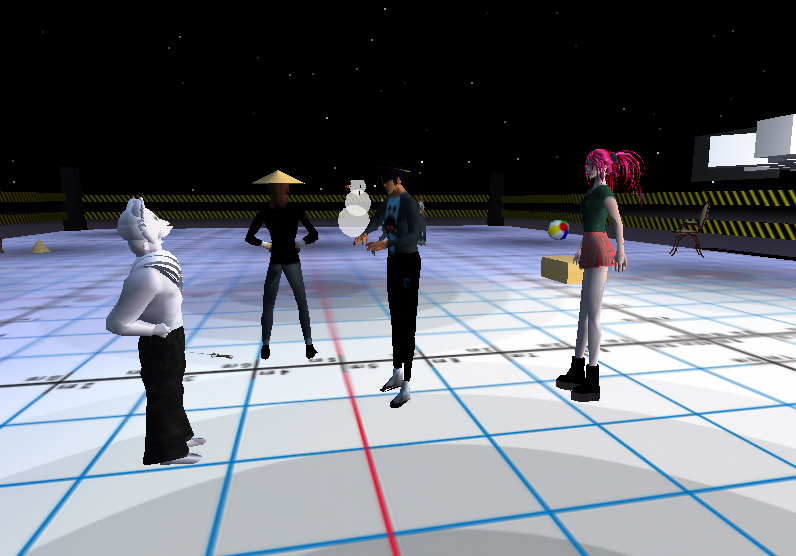
The sandbox gave them an opportunity to start using the basic 3D tools, and play with freebie objects that they had found on their explortations. Doctor Who seemed to be a re-curring theme.


Not only does the Collective Lab exist to help orientate the digital media students, but interested staff from other college departments and courses, drop by to play.


Paul (the fox), Instructor technician, talks to the students inworld, though in reality he's on the other side of the main art building.

The Collective's presence in Second Life

The Collective Village, the base of operations, located in Gourdneck.


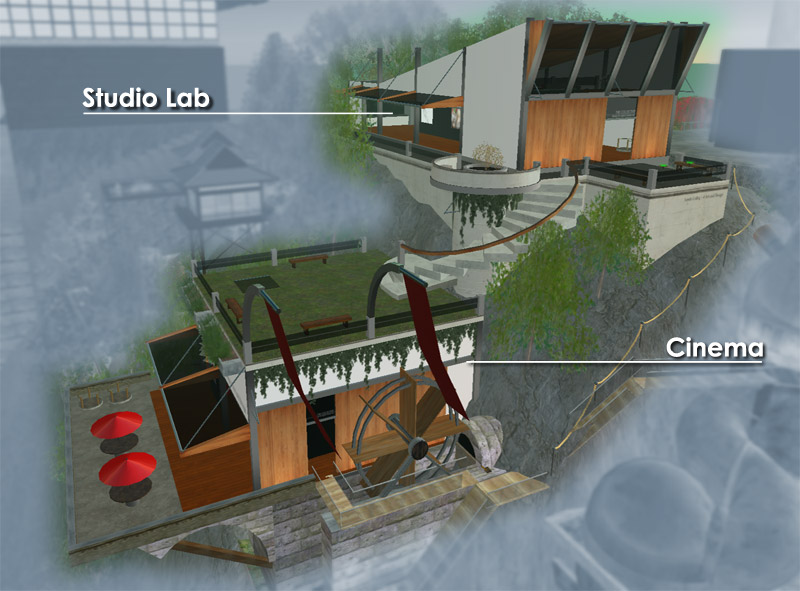
The Studio Lab - is the public meet and greet section of the Collective village. This area will be consistantly updated with content, showcaseing the student's work in progress and end of module exhibition work. This space allows the students to explore and simulate curation skills, that are transferable to real life, as well as exploring the potential of second life for presentation of digital design work.
One area of ongoing staff research, especially with this section of the village (and Second Life in general ), is to investigate Second life as a potential form of e-portfolio using it to link and show students ongoing design work, and demonstrate their skills in professionalism and critical engagement.

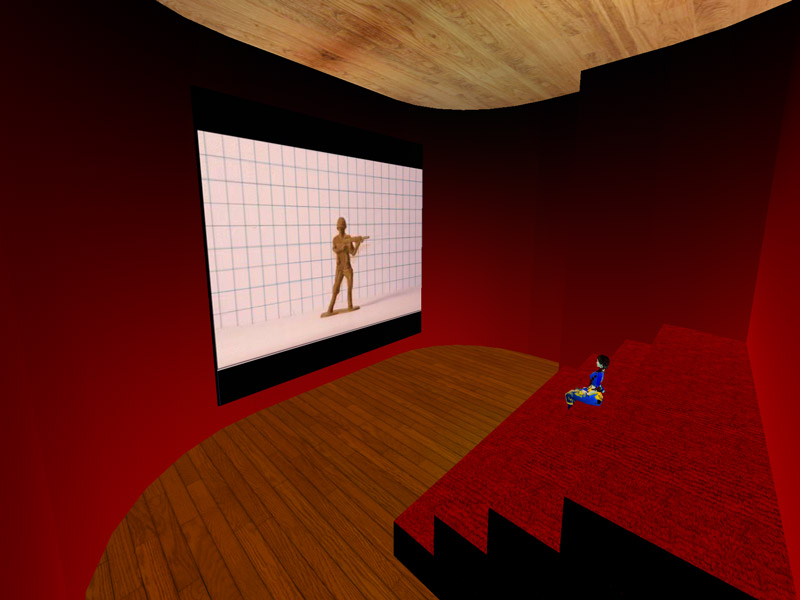
The Cinema - is a special area for showing students' moving image work. The Students engage with Traditional Animation, Computer generated Animation, and Video Production skills throughout the course. The Cinema gives the students an opportunity to show work to a broader audience, and eventually host their own film festival or moving image promotion. It also allows them to pragmatically investigate video / audio streaming.
It also doubles as our ad-hoc lecture theatre, if we need to support and explore any distance learning opportunities.


(inside the cinema)


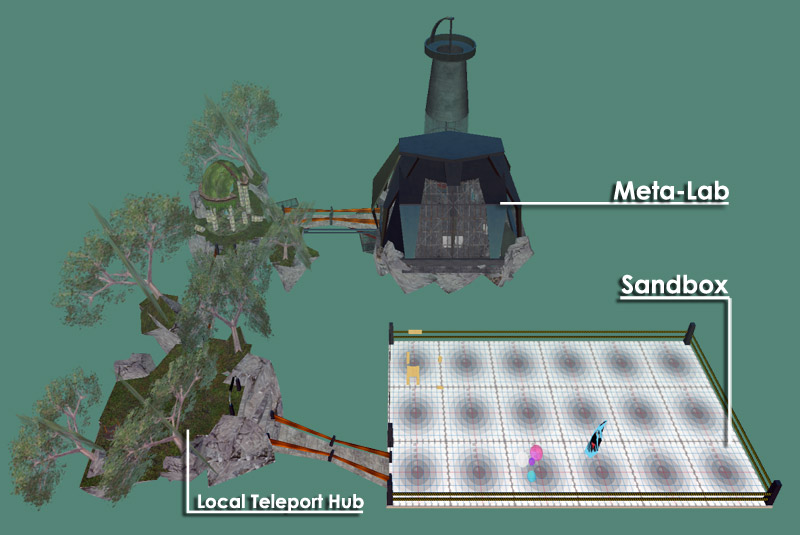
Floating 700ms above the ground, is the Collective's Sky Park, which consists of...


The Sandbox
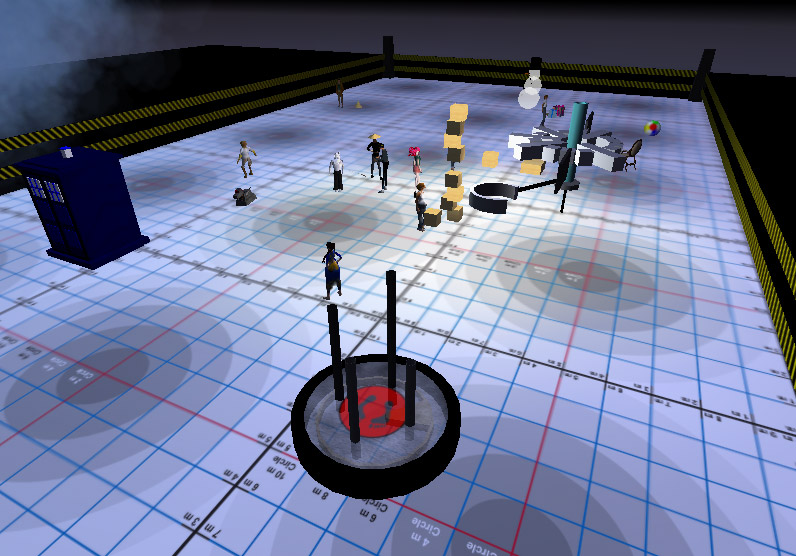
is probably the most engaging and process led part of the Second Life experience for the design students. This is a small building area (70ms x 30ms), that allows them to
explore the creation tools and scripting within Second life. Working within a tighter constraint of prims, forces the students to consider and problem solve prim efficient 3D work.
Anything larger scale, they would work within a public sandbox like Newcomb.

The Local Teleport Hub, connects the ground and skypark area, as well as quick teleport to the cinema. This area also doubles as a small chat room / congregation area, when student's are logging in from home.

The Meta-Lab, is my personal workspace, to create and investigate educational tools made in Second life.